


Nachtfalke
Verifiziert
-
Registriert
-
Letzter Besuch
-
-
 Nachtfalke hat auf PhantaFriends.de - Team's Thema geantwortet in Offtopic-Bereich / Alles über Dich
🤩
Nachtfalke hat auf PhantaFriends.de - Team's Thema geantwortet in Offtopic-Bereich / Alles über DichZum Ende der "Wilden Hilde" im Schwaben Park nach nur 7 Jahren... Ja auch sowas kommt von IMAscore.
Nachtfalke hat auf PhantaFriends.de - Team's Thema geantwortet in Offtopic-Bereich / Alles über Dich
Nachtfalke hat auf PhantaFriends.de - Team's Thema geantwortet in Offtopic-Bereich / Alles über Dich
🤩
Nachtfalke hat auf PhantaFriends.de - Team's Thema geantwortet in Offtopic-Bereich / Alles über DichZum Ende der "Wilden Hilde" im Schwaben Park nach nur 7 Jahren... Ja auch sowas kommt von IMAscore. Bananenflanke hat auf Ein Beitrag in einem Thema reagiert:
[Phantasialand] Vergünstigte Karten / Sonderaktionen
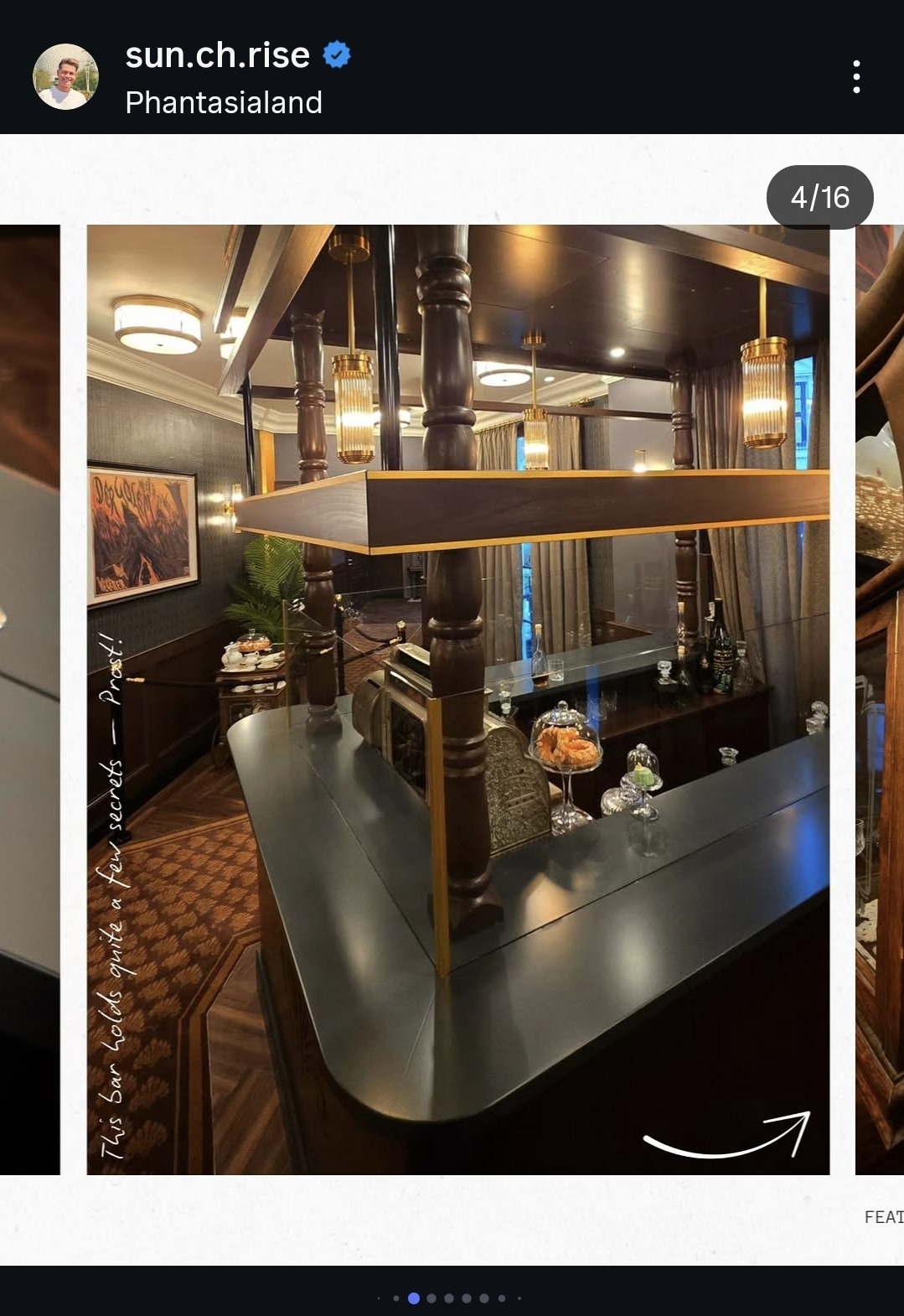
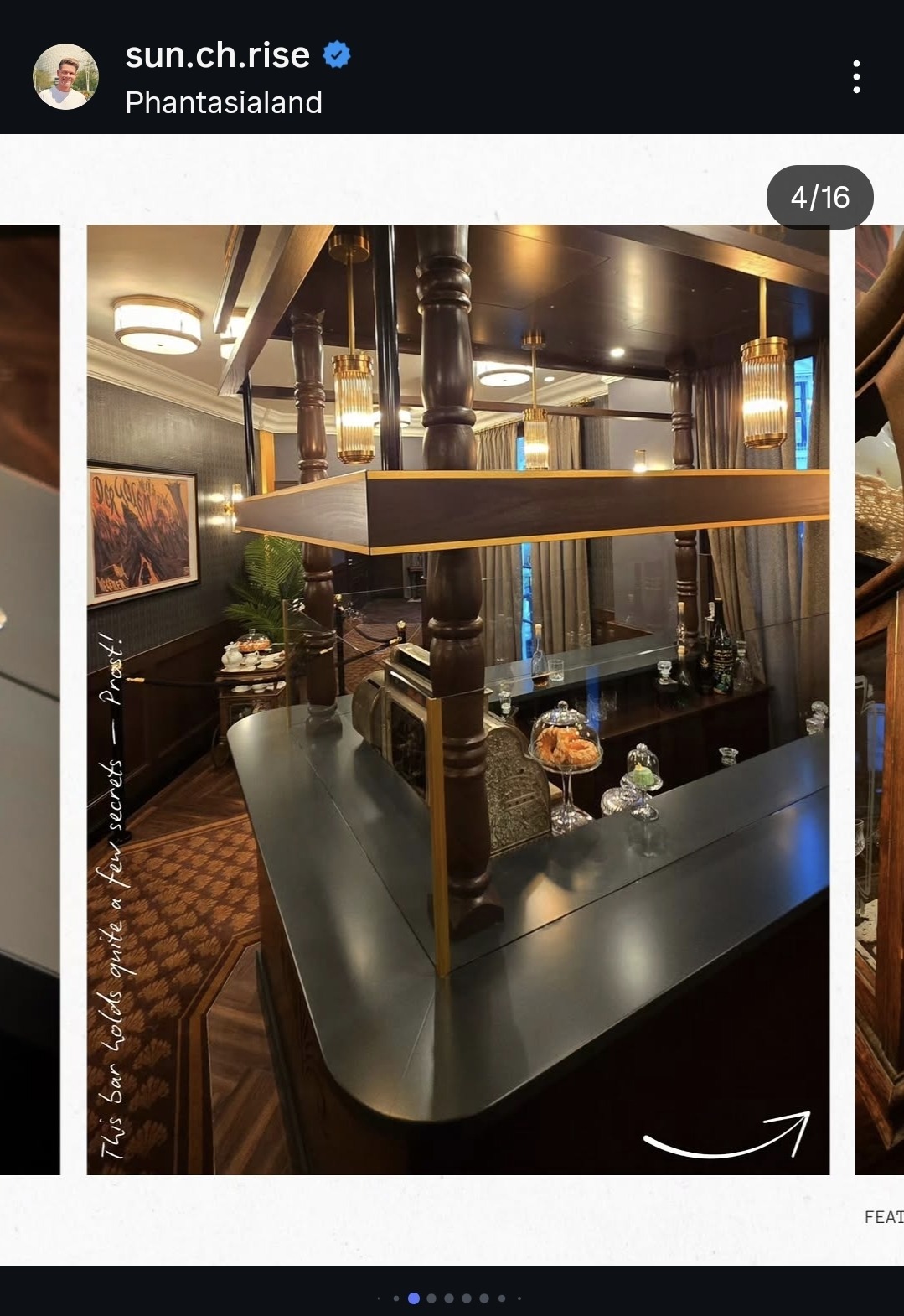
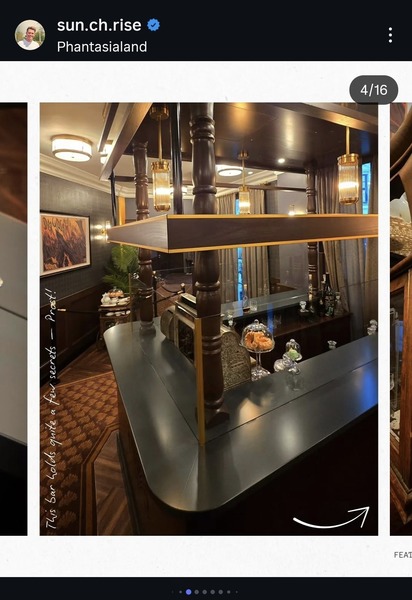
Für mich sieht es so aus als würde sich das hier im ehemaligen Gästeservice befinden. Rechts die Fenster und links die schräge Wand waren da genauso. Hinten durch die schwarze Tür geht es dann in den kleinen Vorraum, bevor es raus geht.
Bananenflanke hat auf Ein Beitrag in einem Thema reagiert:
[Phantasialand] Vergünstigte Karten / Sonderaktionen
Für mich sieht es so aus als würde sich das hier im ehemaligen Gästeservice befinden. Rechts die Fenster und links die schräge Wand waren da genauso. Hinten durch die schwarze Tür geht es dann in den kleinen Vorraum, bevor es raus geht.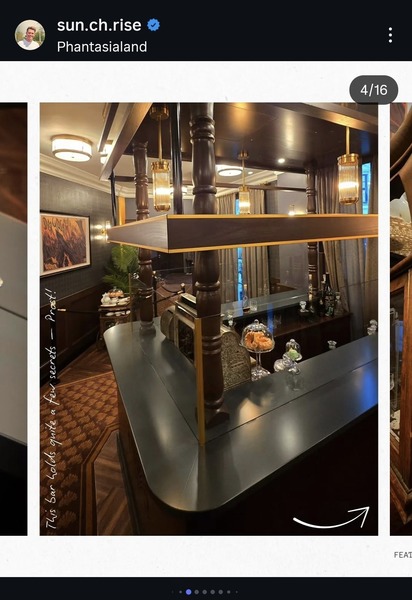 Zum trinken gibt's wohl auch was. Hoffentlich nur Deko. Sonst hängen da am Ende nur die Alkis rum. 🫣
 Die 9-Teilige Prequel-Serie zu Srephen Kings "Es". 🤡 😈
Nachtfalke hat auf PhantaFriends.de - Team's Thema geantwortet in Offtopic-Bereich / Alles über Dich🫠 🥳
Man darf natürlich nicht vergessen, dass der Film nicht vom Toverland ist. Der Park diente nur als Drehort für den Film. 😄
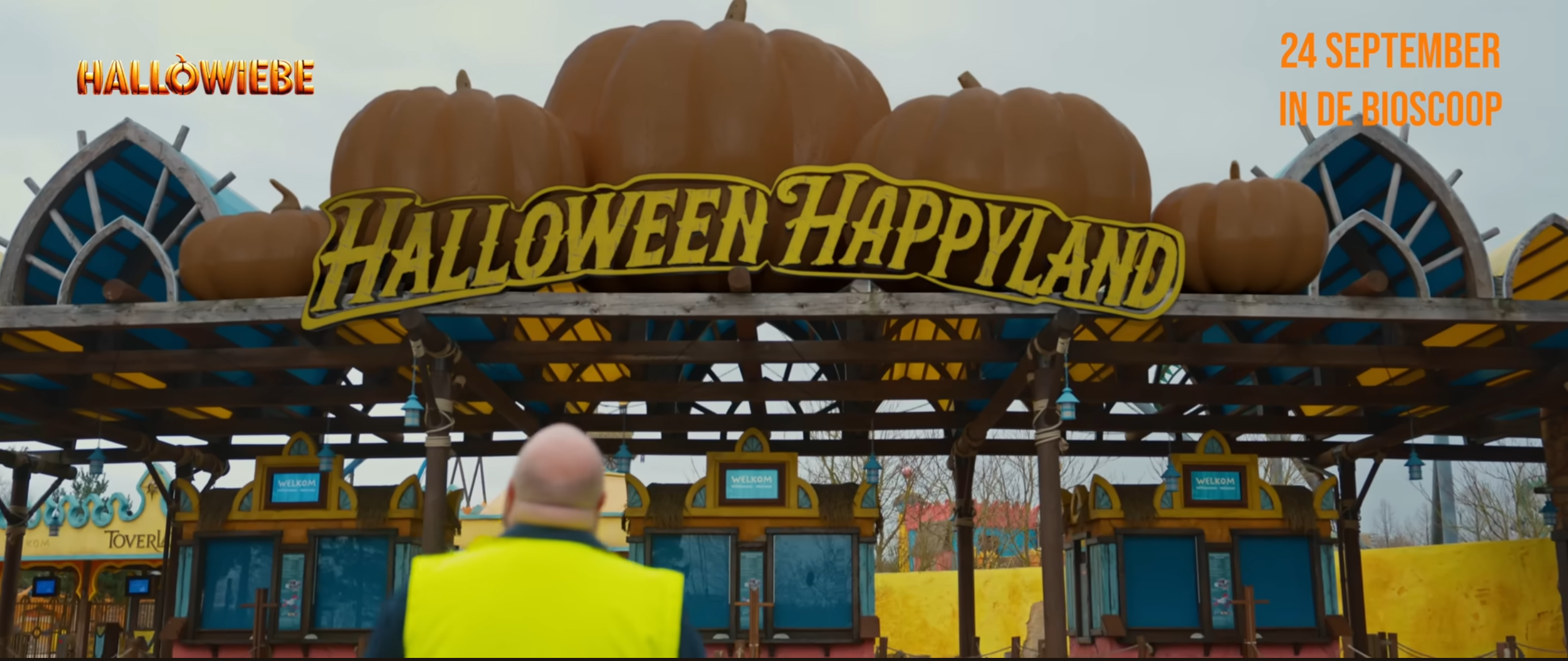
Schon lustig, dass der Park im Film "Halloween Happyland" heisst, aber links im Hintergrund trotzdem noch Toverland zu lesen ist. 🤭
Die 9-Teilige Prequel-Serie zu Srephen Kings "Es". 🤡 😈
Nachtfalke hat auf PhantaFriends.de - Team's Thema geantwortet in Offtopic-Bereich / Alles über Dich🫠 🥳
Man darf natürlich nicht vergessen, dass der Film nicht vom Toverland ist. Der Park diente nur als Drehort für den Film. 😄
Schon lustig, dass der Park im Film "Halloween Happyland" heisst, aber links im Hintergrund trotzdem noch Toverland zu lesen ist. 🤭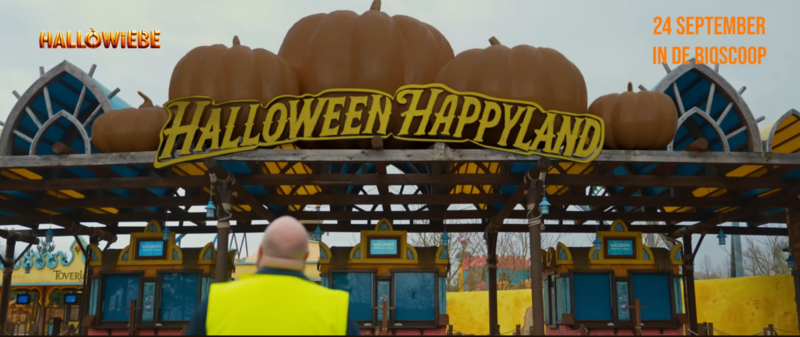 Am 24. startet der Film aus dem Toverland. 😁